Business Dashboard
Overview
Enterprise h2oGPTe supports a simplified “dashboard-style” interface designed specifically for business users and other non-technical audiences. The Business Dashboard removes complexity, hiding development tools and advanced settings to provide a clean and simple, assistant-style experience. This mode is suitable when business users need a focused environment to simply ask questions and get answers, without seeing or managing any AI configuration.
Business users can only access Collections that are explicitly shared with them and publicly available Collections. This ensures the experience stays clean, controlled, and role-appropriate.
The business user experience
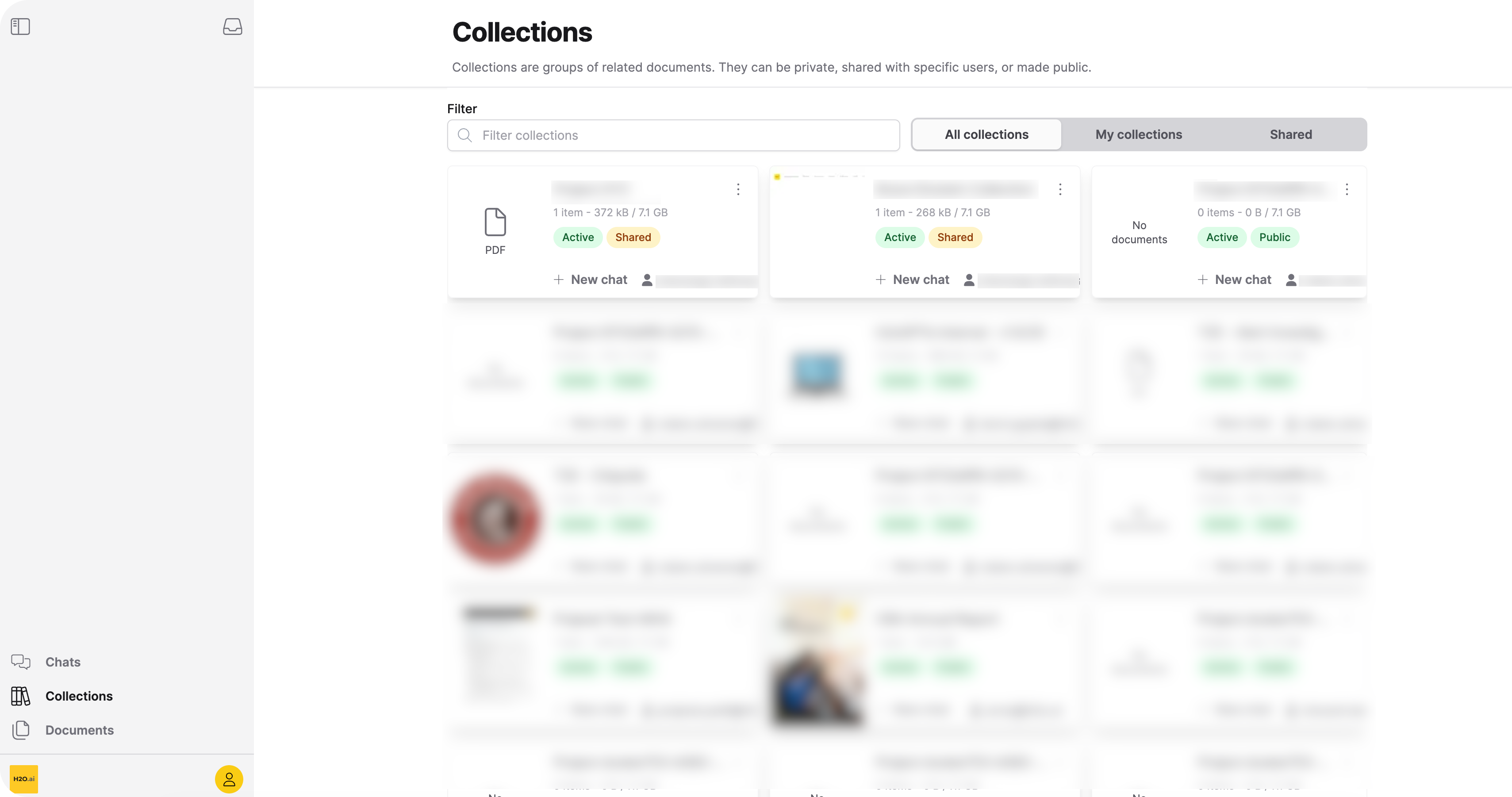
When a business user logs in, they find a simplified view with the Collections grid, the chat interface, and the Documents tab.
1. The Collections grid
Business users see a grid of all available Collections. These are the specific knowledge bases that Administrators have explicitly shared with the users.
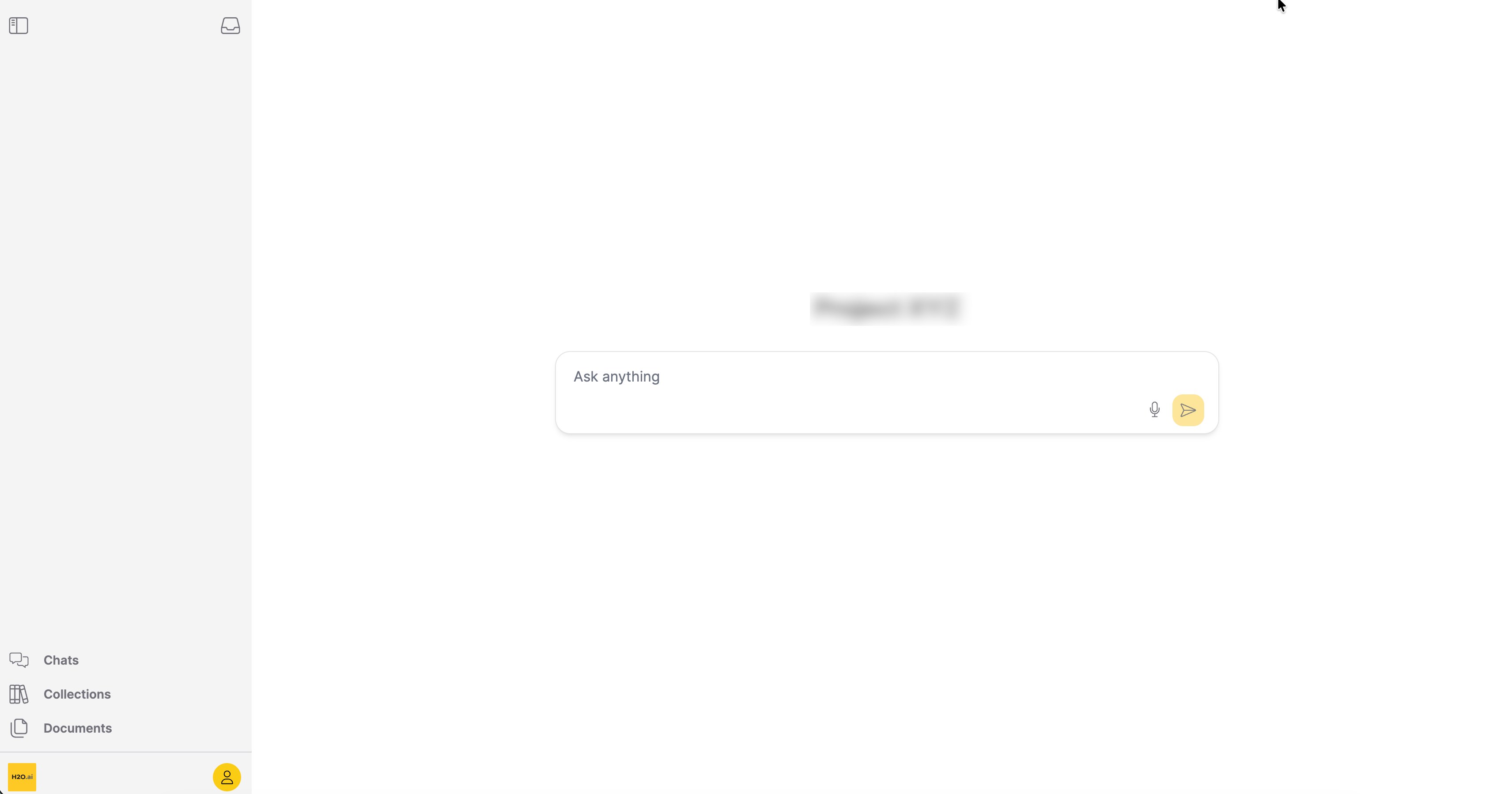
2. The Chat interface
The Chat interface can be accessed when the user clicks on a Collection. This interface focuses entirely on the conversation, hiding sidebars and setting menus.
3. The Documents tab
The Documents tab includes files that administrators have uploaded to accessible Collections. Users can filter documents by last updated date, age, and status to find relevant content quickly. Users can view documents as a grid or list.
Permissions and visibility
To ensure the environment remains controlled and role-appropriate, the Business Dashboard enforces strict visibility limits.
Business users do not see:
- Model selection
- Agent tooling
- Document ingestion controls
- Evaluation workflows
- Permission management
- Developer debugging features
Users can only chat with Collections shared with them. Open-ended queries outside of these contexts are disabled. Everything the user interacts with is pre-configured by the Collection owner.
The Business Dashboard is recommended for internal knowledge assistants and department-specific deployments, particularly within regulated environments or organizations with strict AI compliance requirements.
- Before business users can access the dashboard, administrators must assign the business user role. See Admin Configuration for details.
- Business users can interact with collections. See Chat with a Collection for details.
- Submit and view feedback for this page
- Send feedback about Enterprise h2oGPTe to cloud-feedback@h2o.ai