Import from SharePoint On-Premise
Overview
The Import from SharePoint On-Premise ingestion method allows you to import documents from on-premises SharePoint installations. This method supports legacy authentication methods and is designed for organizations with on-premises SharePoint deployments.
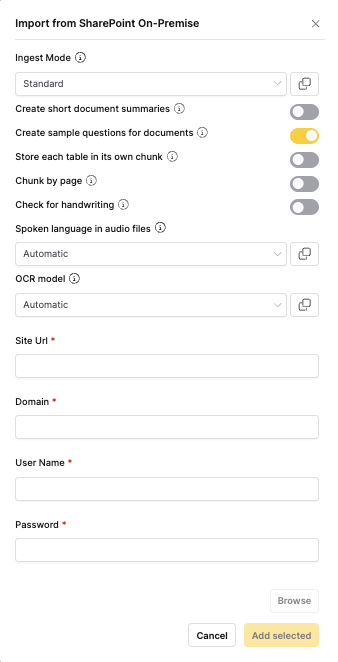
When to use
- On-premises SharePoint: When your documents are stored in on-premises SharePoint
- Legacy systems: For organizations with on-premises SharePoint installations
- Internal networks: When working within corporate intranets
- Legacy authentication: When using classic SharePoint authentication methods
- Hybrid environments: When combining on-premises and cloud SharePoint
note
For document processing options, see the Shared Document Processing Options section in the main documentation.
Authentication
SharePoint authentication
- Windows authentication: Uses Active Directory credentials
- Forms authentication: Custom authentication providers
- Claims authentication: SharePoint claims-based authentication
- Service account: Dedicated service account for automation
Required permissions
- Site access: Read access to SharePoint sites
- Document library access: Read access to document libraries
- File access: Read access to individual files
- User permissions: Appropriate SharePoint user permissions
Auto-sync
This connector supports automatic scheduled synchronization. When enabled, h2oGPTe periodically checks for new or modified files and automatically imports them to your collection.
To learn more about setting up scheduled syncing, see Auto-Sync Connectors.
Feedback
- Submit and view feedback for this page
- Send feedback about Enterprise h2oGPTe to cloud-feedback@h2o.ai