Select a Collection
Overview
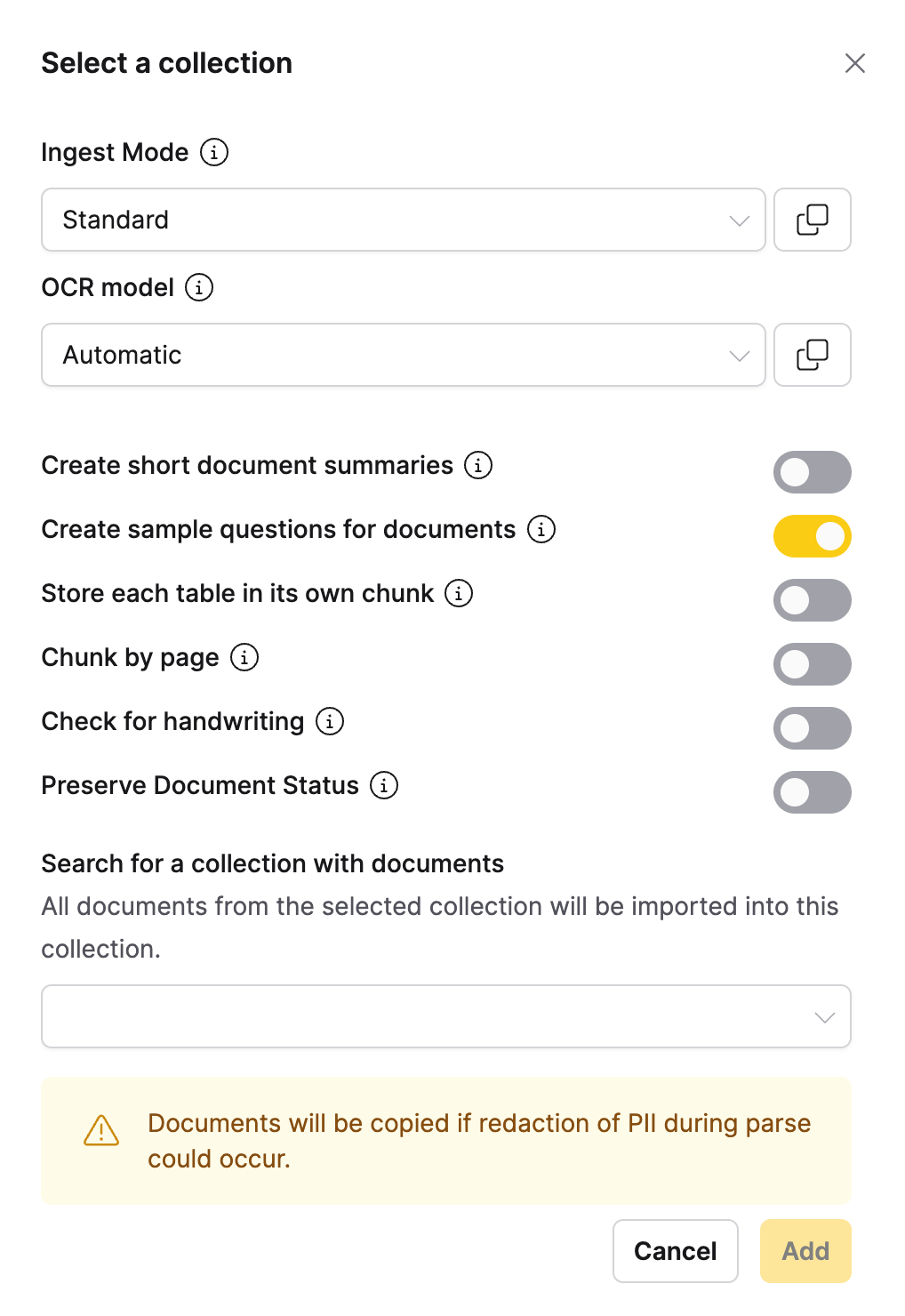
The Select a Collection ingestion method allows you to import all documents from another collection into your current collection. This method is useful for combining collections or creating new collections based on existing ones.
When to use
- Collection merging: When you want to combine multiple collections
- Collection copying: When you want to create a copy of an existing collection
- Template collections: When using a collection as a template for new ones
- Bulk document reuse: When you want all documents from another collection
- Collection organization: When reorganizing your document structure
Configuration parameters
Collection selection
| Option | Default | Description | Use case |
|---|---|---|---|
| Search collections | - (text input) | Search for collections by name or description | Find specific Collections |
| Filter by owner | All owners (dropdown) | Filter collections by owner | Find collections owned by specific users |
| Document count filter | All sizes (dropdown) | Filter by number of documents in collection | Focus on collections of specific sizes |
| Date range filter | All dates (date picker) | Filter by collection creation/modification date | Find collections from specific time periods |
Import options
The following option applies only to collection imports:
| Option | Default | Description | Use case |
|---|---|---|---|
| Preserve Document Status | Disabled (toggle off) | Retains agent_only status from source documents instead of applying the selected ingest mode. | Maintain agent_only distinction when importing mixed-status collections. |
tip
The Preserve Document Status toggle only preserves agent_only status. Documents with other statuses (such as failed or canceled) use the selected ingest mode.
Python SDK example
You can import a collection with preserve_document_status using the h2oGPTe Python client library:
job = client.import_collection_into_collection(
    collection_id="<target_collection_id>",
    src_collection_id="<source_collection_id>",
    preserve_document_status=True,
)
info
For document processing options, see the Shared Document Processing Options section in the main documentation.
Feedback
- Submit and view feedback for this page
- Send feedback about Enterprise h2oGPTe to cloud-feedback@h2o.ai