Configuration of Azure Active Directory client
Register your application on portal.azure.com
- Click App registrations on the left panel and select + to setup a new registration
- Select single tenant as the account for this organization
- Give a name and a redirect uri
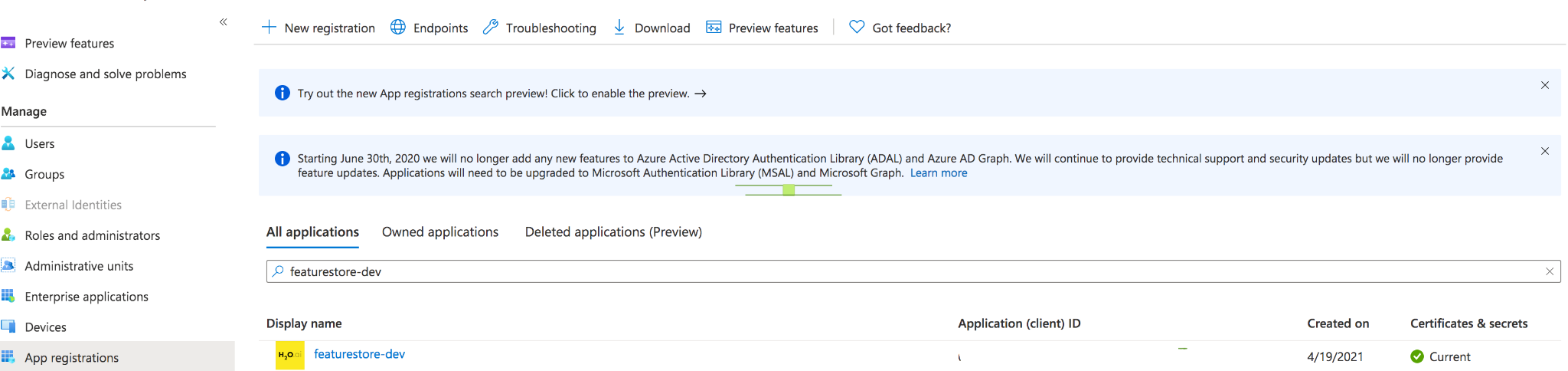
Redirect uri:

Configuration of application object properties
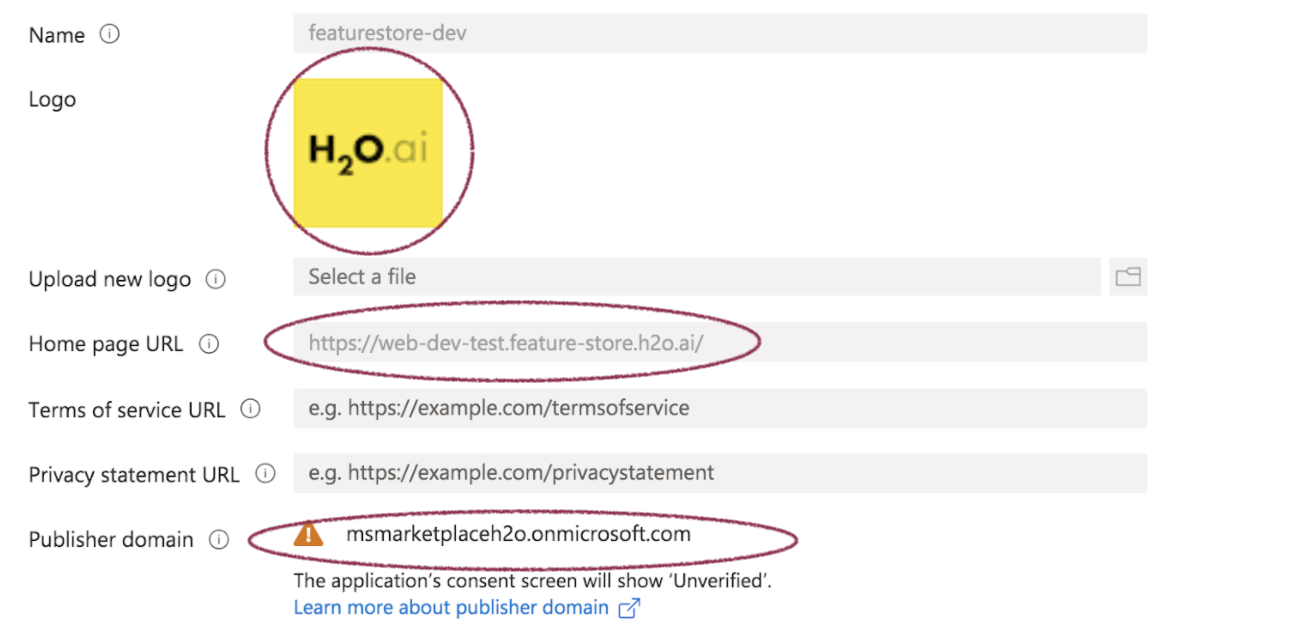
Branding
Branding is where the logo, home page URL, and the publisher domain are configured.
Authentication
This is where you authenticate users for the application.
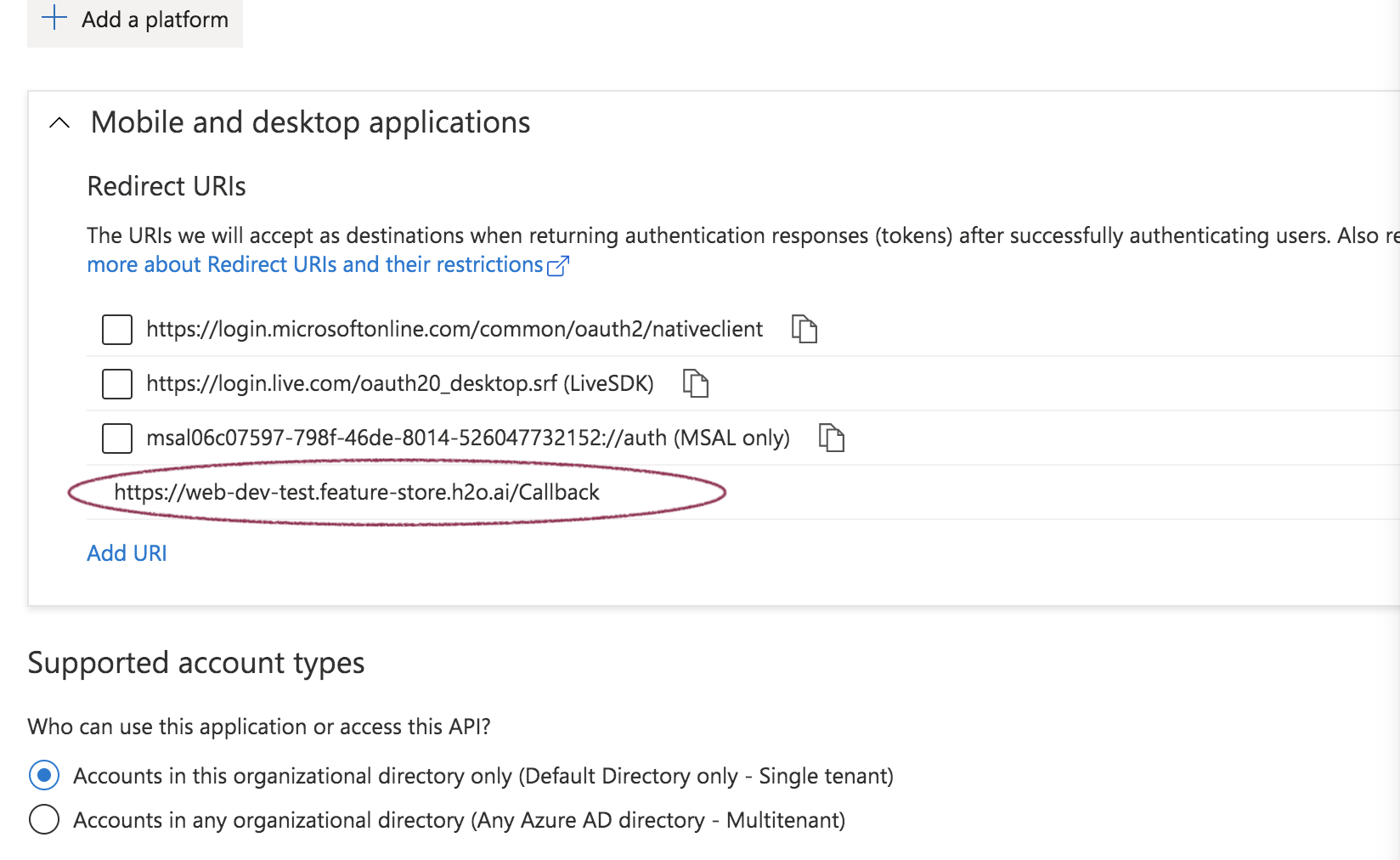
- Click the platform and select mobile and web applications
- Add a redirect uri (this is where the response token will be redirected to after authentication is complete)
- Select single tenant
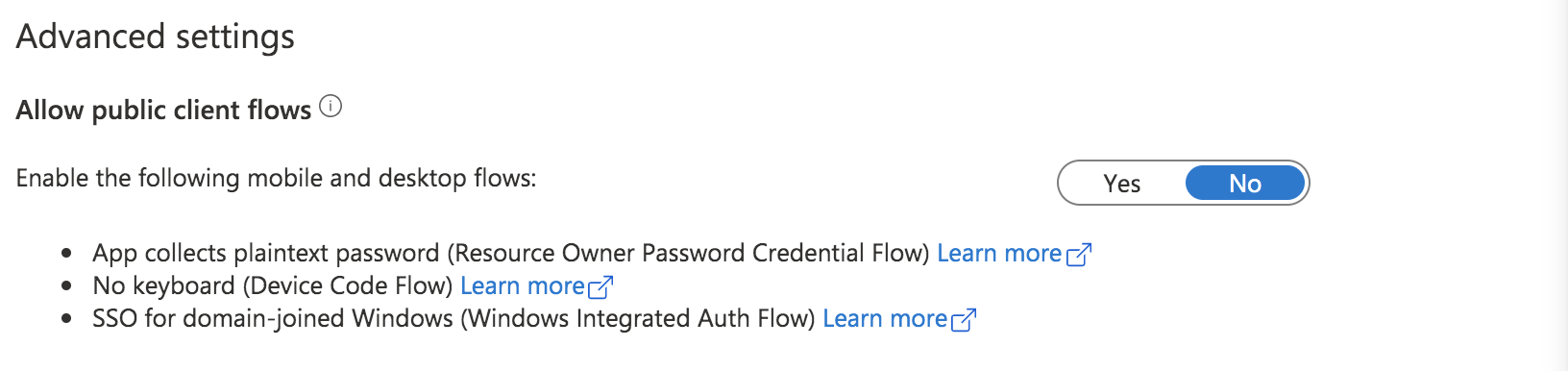
- Set public clients to "No" since public clients cannot keep secrets confidential
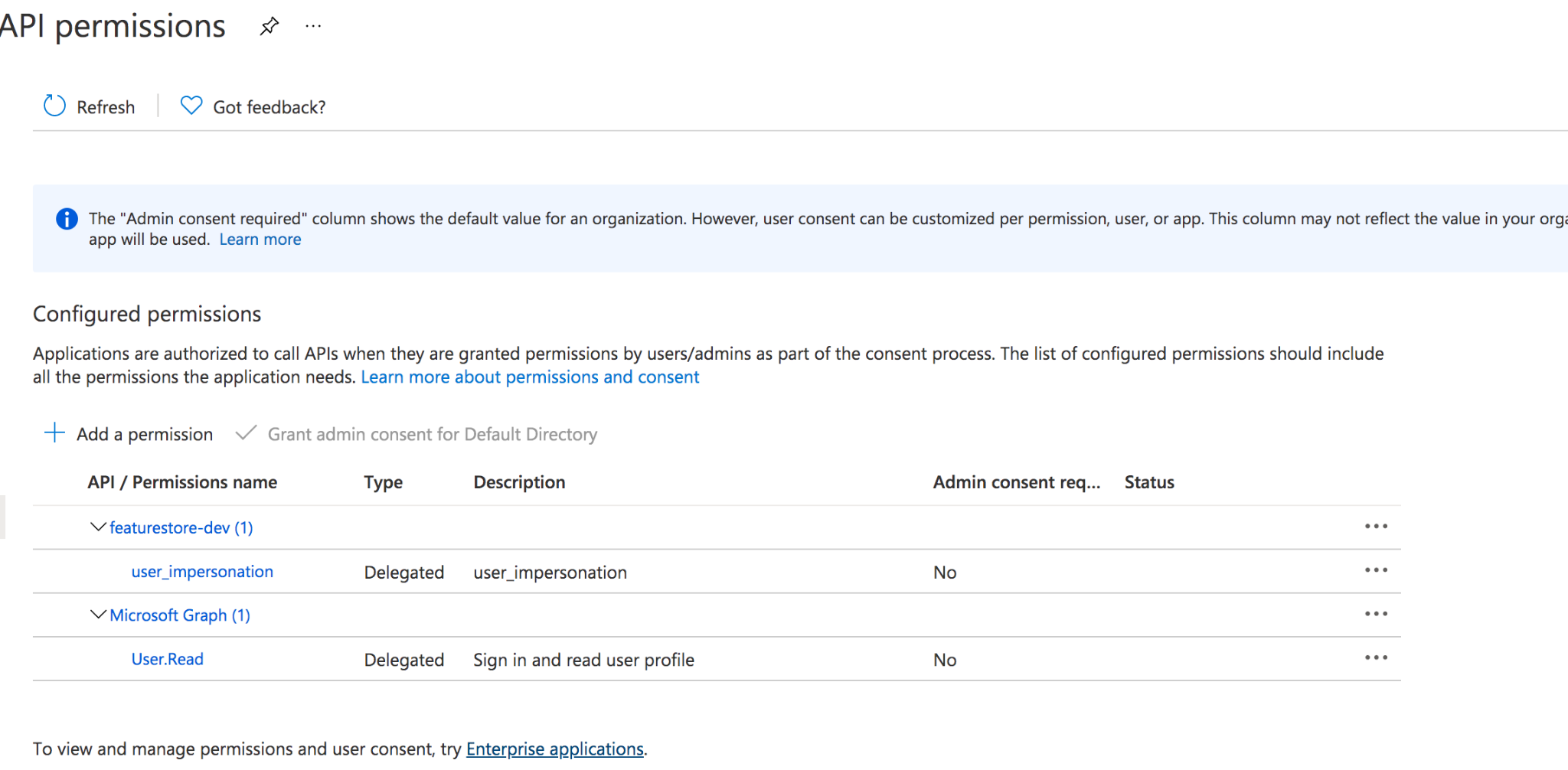
API permissions
Add permissions to Microsoft Graph and the application (i.e., "featurestore-dev").
Expose an API
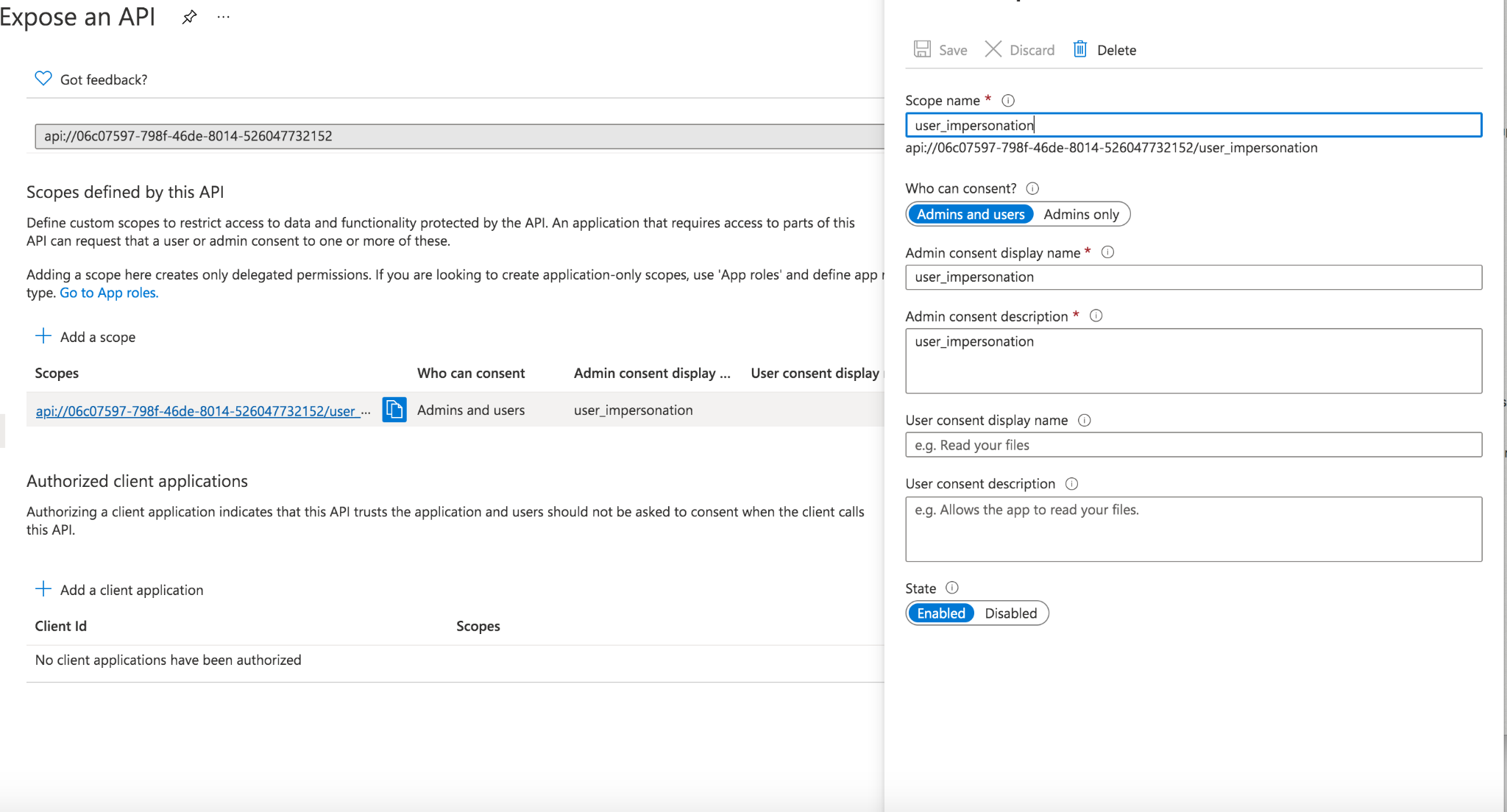
Add a scope with consent for "admin and users" and name it "user_impersonation".
Owners
Add owners who are authorized to manage this registration.

That's it!
Feedback
- Submit and view feedback for this page
- Send feedback about H2O Feature Store to cloud-feedback@h2o.ai