Environment info
The environmental information page includes technical information used with regards to your H2O AI Managed Cloud (HAMC) environment.
Click Environment info on the left-navigation bar to open the Environment information page.
This page includes:
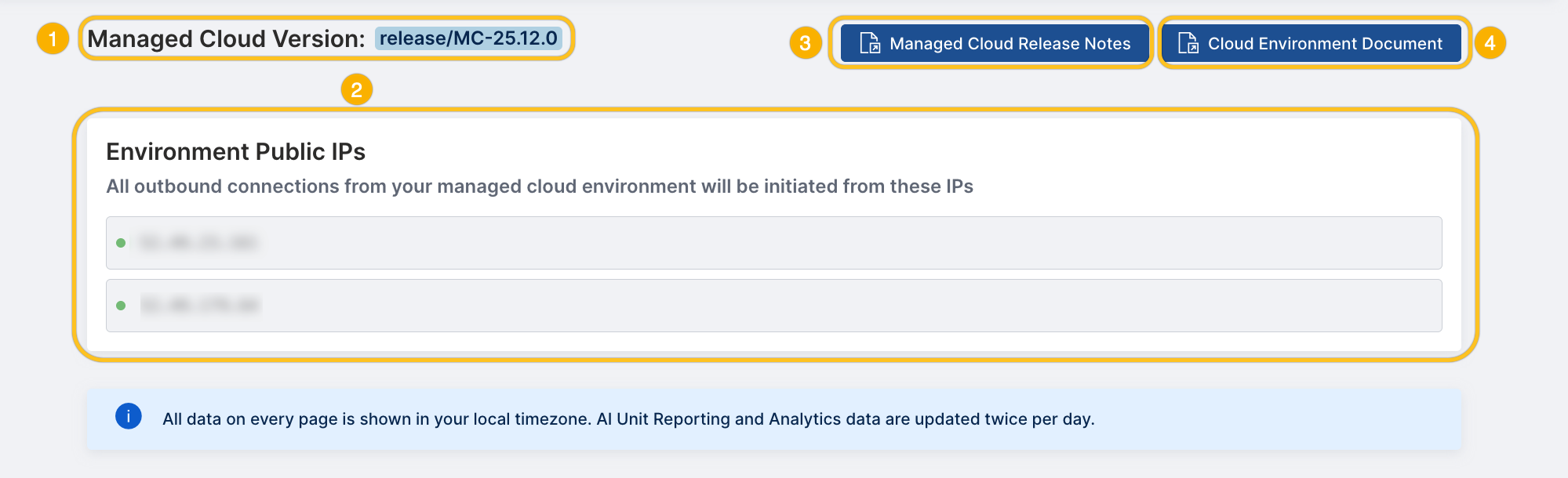
- The release version of H2O AI Managed Cloud that is deployed to your environment.
- Public IP addresses for your H2O AI Managed Cloud environment. All outbound connections from your environment will be initiated using these IPs.
- The link to the release notes for the latest H2O AI Managed Cloud versions.
- The link to the official documentation for the H2O Cloud environment.
Resource blocking
The Environment info page displays a Resource Blocking setting that lets admins consent to automatically blocking resources once AI unit usage reaches 100% of the contract threshold.

Turn on the toggle next to Resource Blocking to enable it. If enabled and AI unit usage exceeds 100%, new processes are automatically blocked for:
- MLOps (experiments, deployments, and batch-scoring jobs)
- Driverless AI
- App Store
When usage reaches 100%, a banner appears at the top of the app warning that resources might be blocked. Click click here to learn more in the banner to open the AI Unit calculation page. The banner can be dismissed with the close icon.

Only new processes are prevented from starting. Processes that are already running are not disrupted.
To get notified before usage reaches 100%, configure custom alerts on the AI Unit Hourly page.
- Submit and view feedback for this page
- Send feedback about H2O Admin Center to cloud-feedback@h2o.ai