Use cases
Overview
This section offers an overview of the example use cases for GenAI Studio, a platform dedicated to simplifying the development of web applications powered by Large Language Models (LLMs) such as h2oGPT. The use cases below recreate the top apps from the public GenAI AppStore in less than 1 minute. See here for detailed steps on the process.
Use case 1: Sketching web apps
Overview
Recreating the top rated GenAI Apps using GenAI AppStudio. The process used is as follows:
- Step 1: Create a sketch of the app using a software of choice, and download the sketch as a PNG.
- Step 2: Create a new project in GenAI AppStudio, and upload the sketch as an input. Provide data/documents if necessary.
- Step 3: Run the Sketch2App algorithm, while it converts the sketch to an app within seconds.
- Step 4: Use the GenAI AppStudio customization tools to change cards, styles, colors, themes as per user preference.
- Step 5: The app generates the fully working Wave App with source code and additional binding. App logics can be added in the code itself.
App #1: Tomato AI
- User settings: Description: Tomato AI: Grow better produce with your own AI-powered gardening assistant.
- Dataset: None | Document: None | Industry: Agriculture
User inputs sketch:
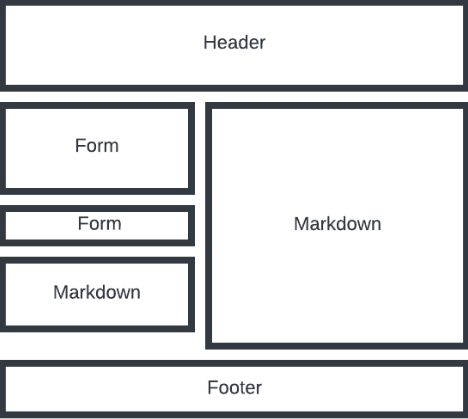
Sketch2App generates the initial version:
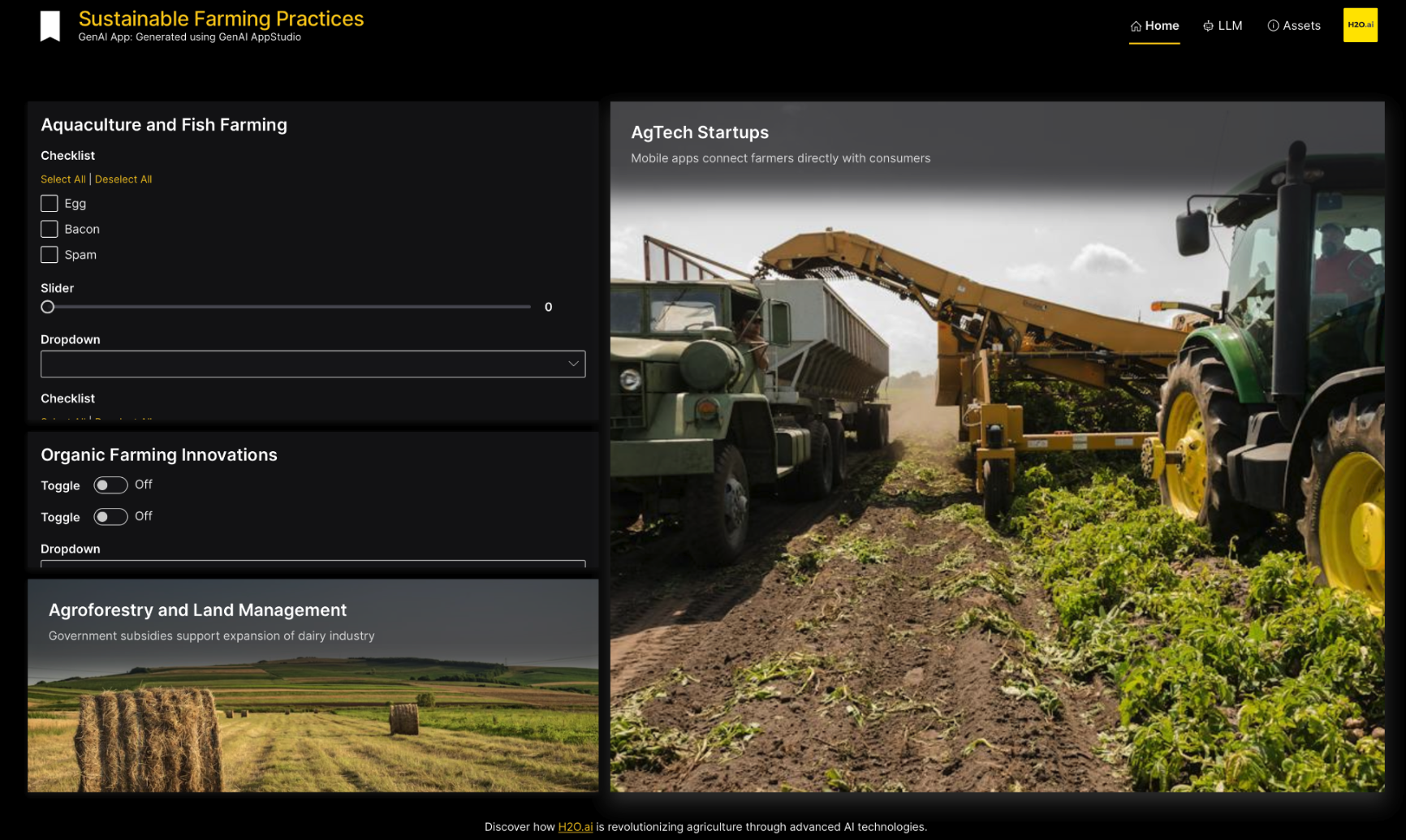
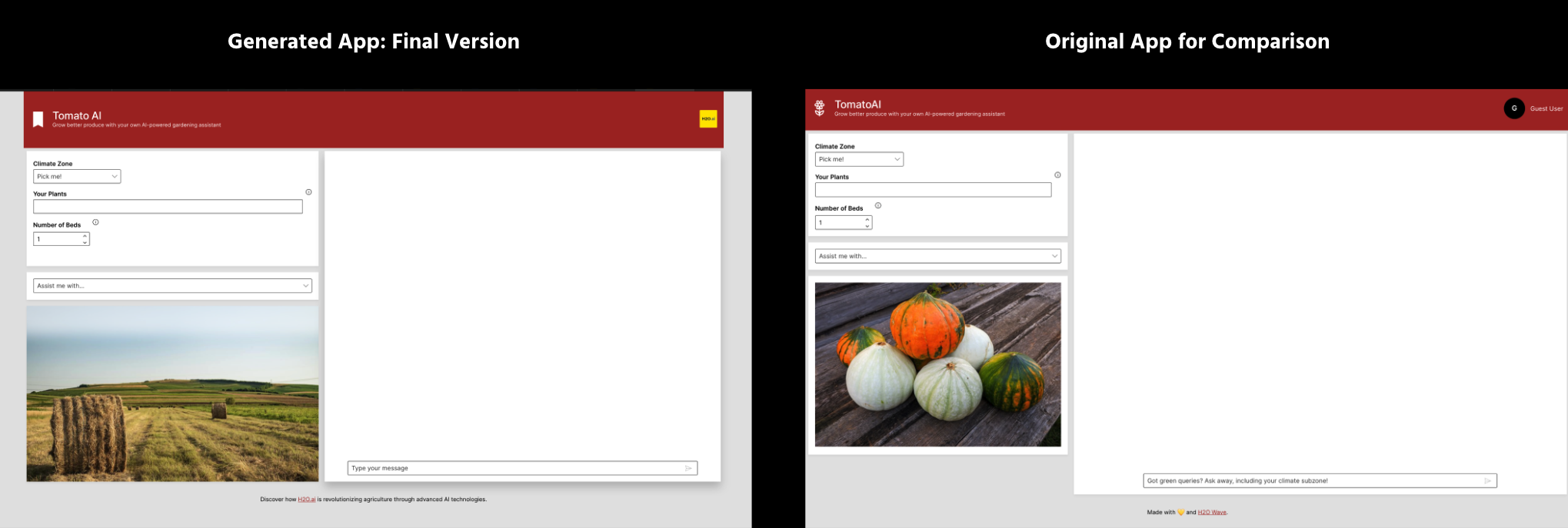
User applies the following card content, theme & layout changes:
- Changed the theme using the theme editor: custom theme with primary color #a32424.
- Removed the attribute transparent from the header.
- Adjust card sizes.
- Removed additional tabs and corresponding layouts (LLM and Assets).
- Add an empty chatbot card.
- Change texts on cards.
- Add dropdowns and other form components as required.
Sketch2App generates the final version after applying GenAI AppStudio customizations:
App #2: Ask H2O
- User settings: Description: Ask H2O: Conversationally explore H2O.ai’s website, products, and more.
- Dataset: None | Document: None | Industry: Other
User inputs sketch:
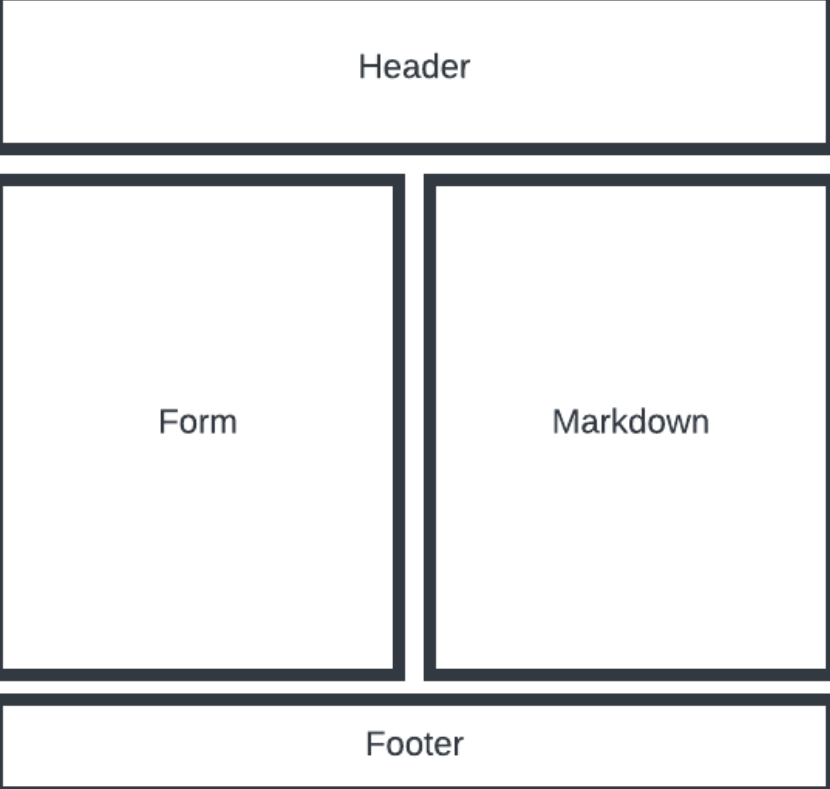
Sketch2App generates the initial version:
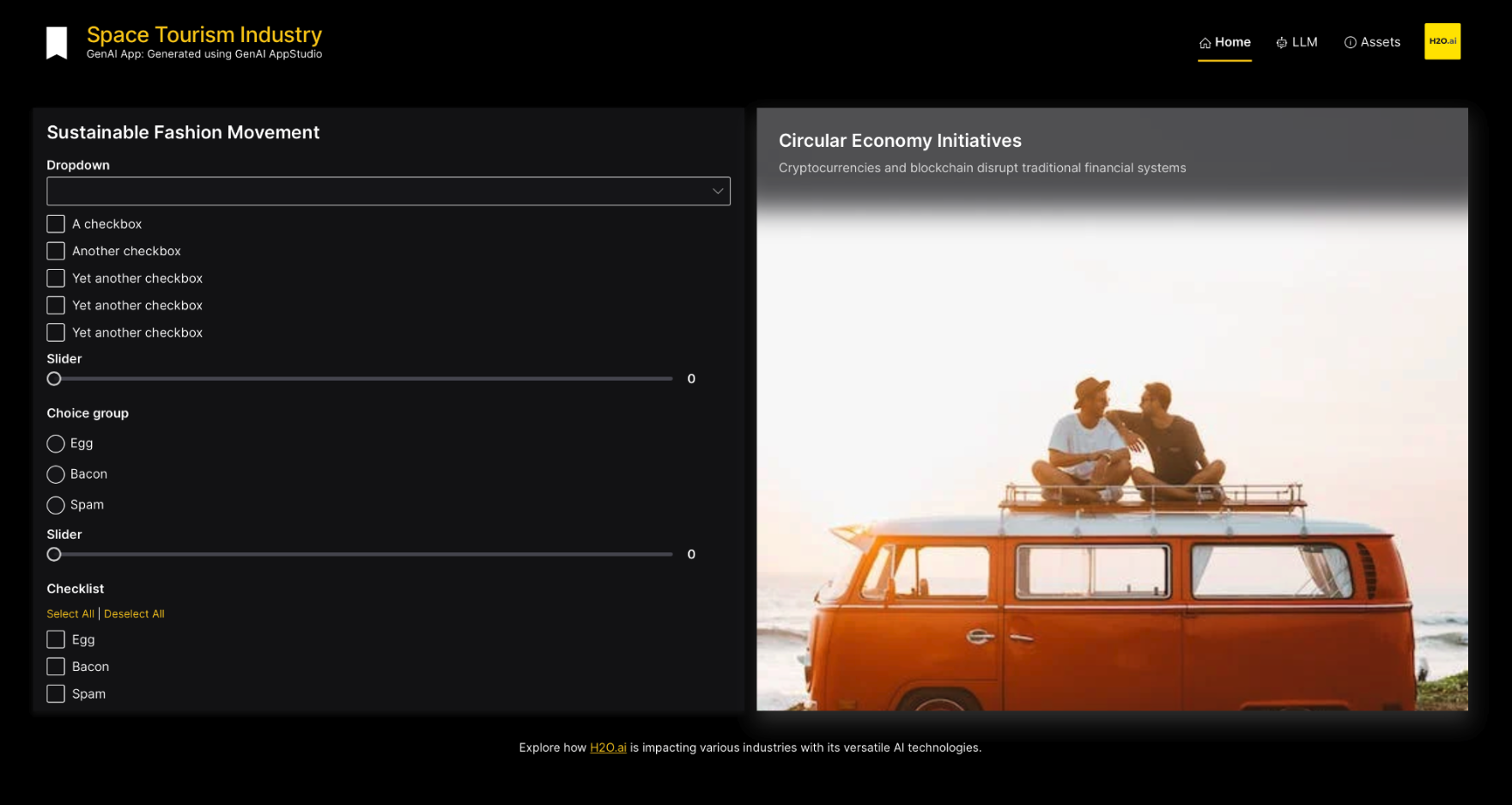
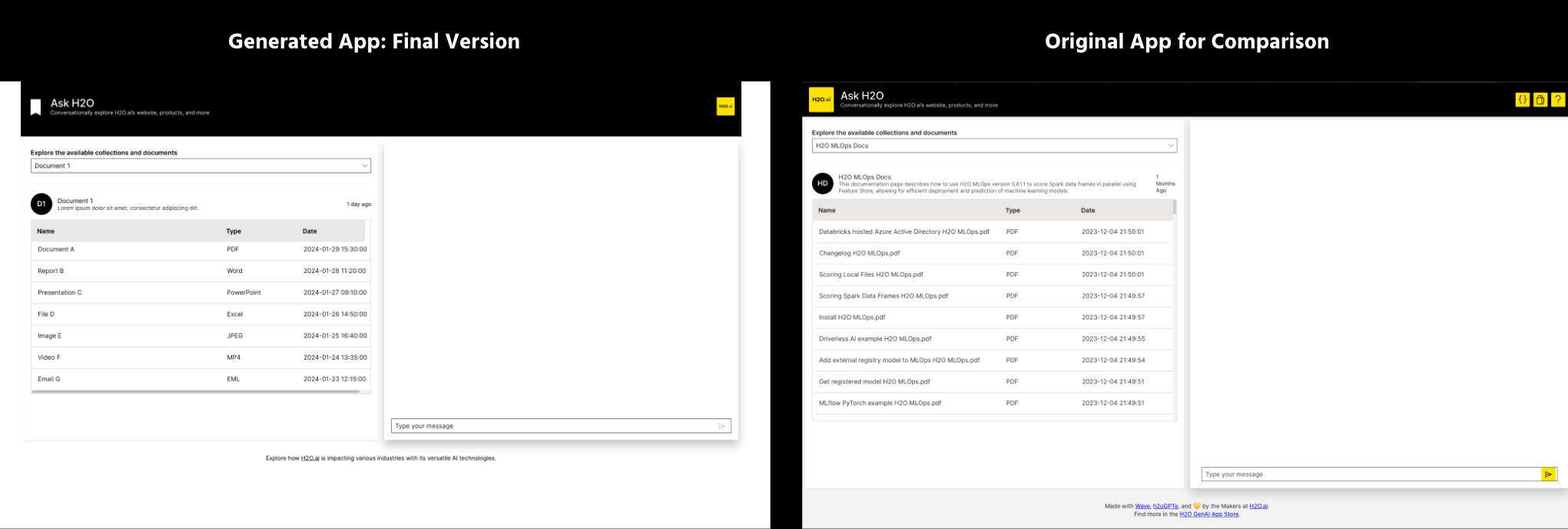
User applies the following card content, theme & layout changes:
- Changed the theme using the theme editor: custom theme.
- Removed the attribute transparent from the header.
- Removed additional tabs and corresponding layouts (LLM and Assets).
- Add an empty chatbot card.
- Change texts on cards.
- Change form content.
Sketch2App generates the final version after applying GenAI AppStudio customizations:
Use case 2: Web apps using prompts
App #1: Interface for predictive maintenance
Dataset: None | Document: None | Industry: Predictive Maintenance
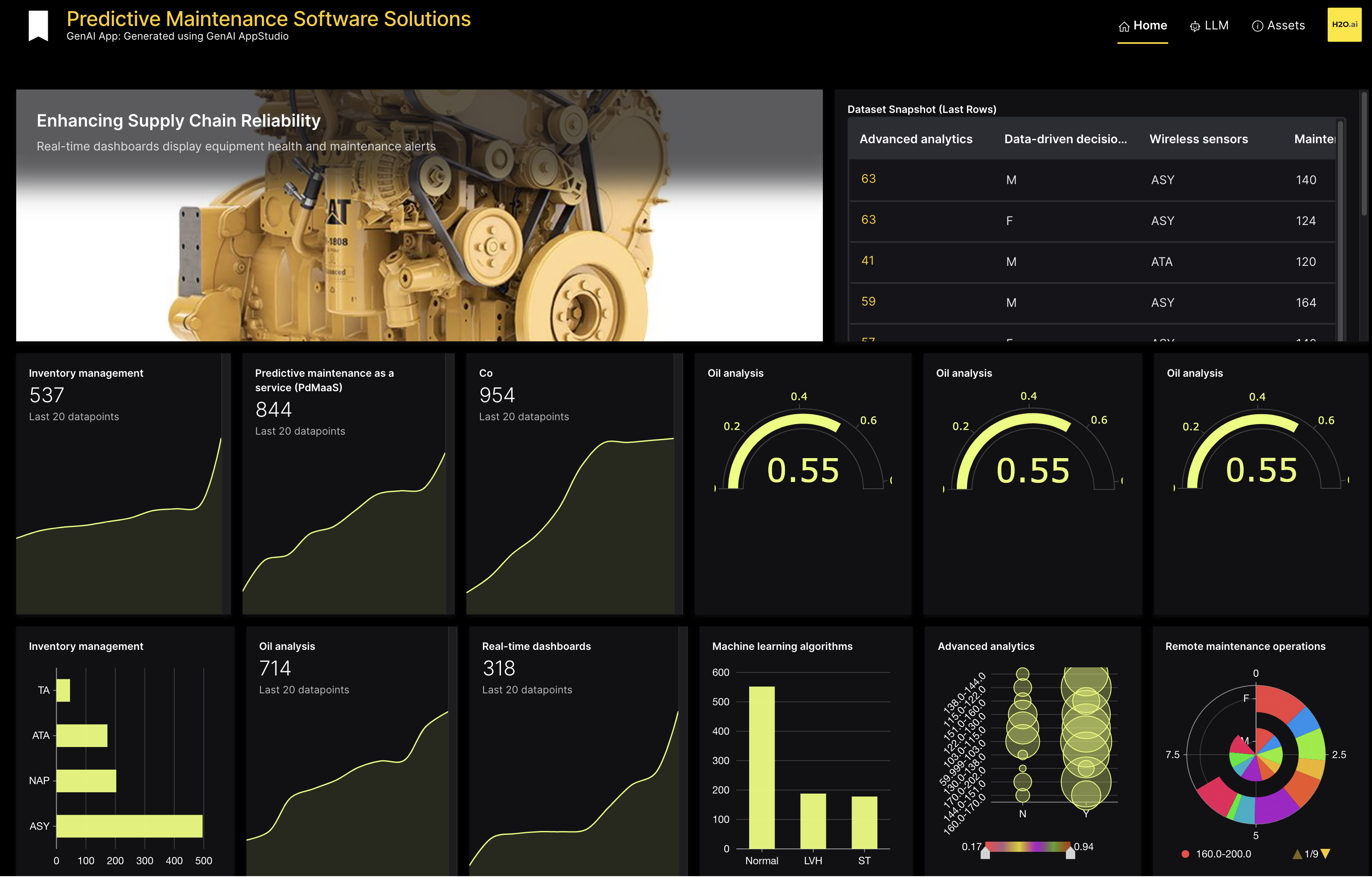
- User inputs prompt:
Create a cutting-edge technology interface for Predictive Maintenance, organized into 4 rows:

The top row should feature 6 gauge cards that provide immediate access to important metrics.

The second row is dedicated to data visualization, with a stacked bar chart depicting different connectivity options, a stat card showcasing network growth, a polar plot for directional insights, again a stat card indicating connectivity indicators, and a radar plot highlighting user preferences.

In the third row, place 3 metric cards offering key insights, accompanied by a heatmap revealing network usage patterns. Add a markdown section here to offer a clear understanding of technical intricacies.

The fourth and final row should consist of three tables, each presenting specific data sets for comprehensive analysis.
- Prompt2App generates the output:
- Submit and view feedback for this page
- Send feedback about GenAI AppStudio | Docs to cloud-feedback@h2o.ai