Share workflow
Overview
This page explains how to share a workflow with one or more users and define their access level.
Instructions
To share a workflow, follow these steps:
- Click the Actions drop-down menu.
- Click Share.
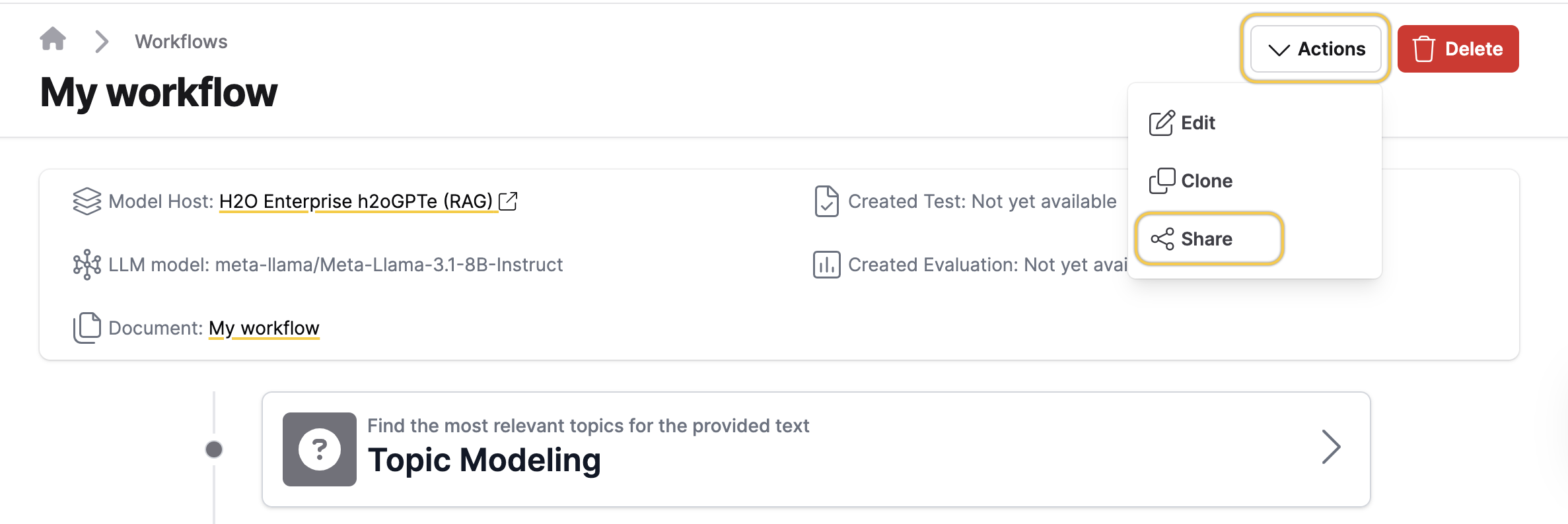
- From the Grant access to users drop-down, select the user(s) you want to share the workflow with.
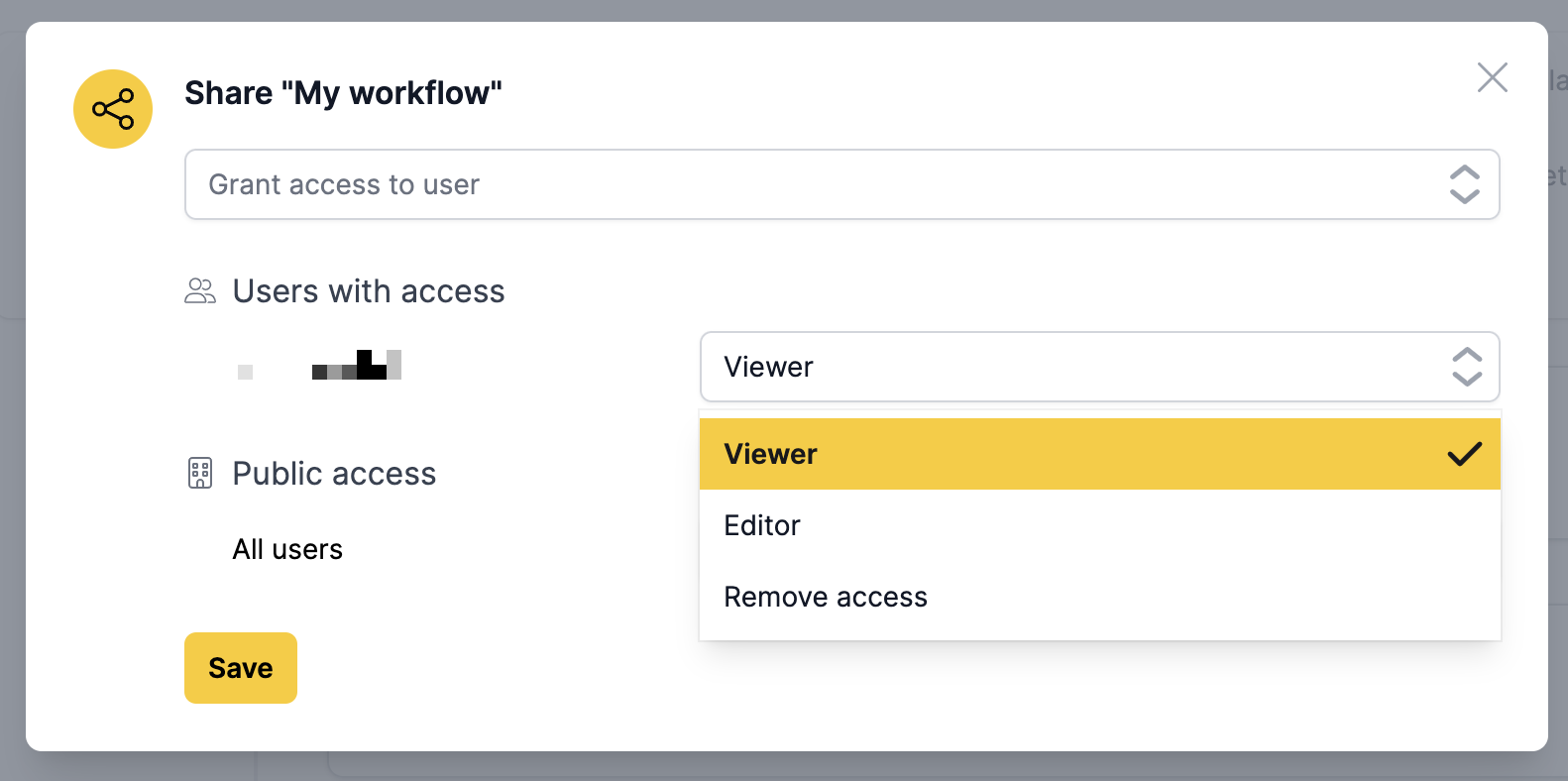
- Under Users with access, choose the desired access level for the selected user(s).
- Under Public access, choose the access level to grant to all users.
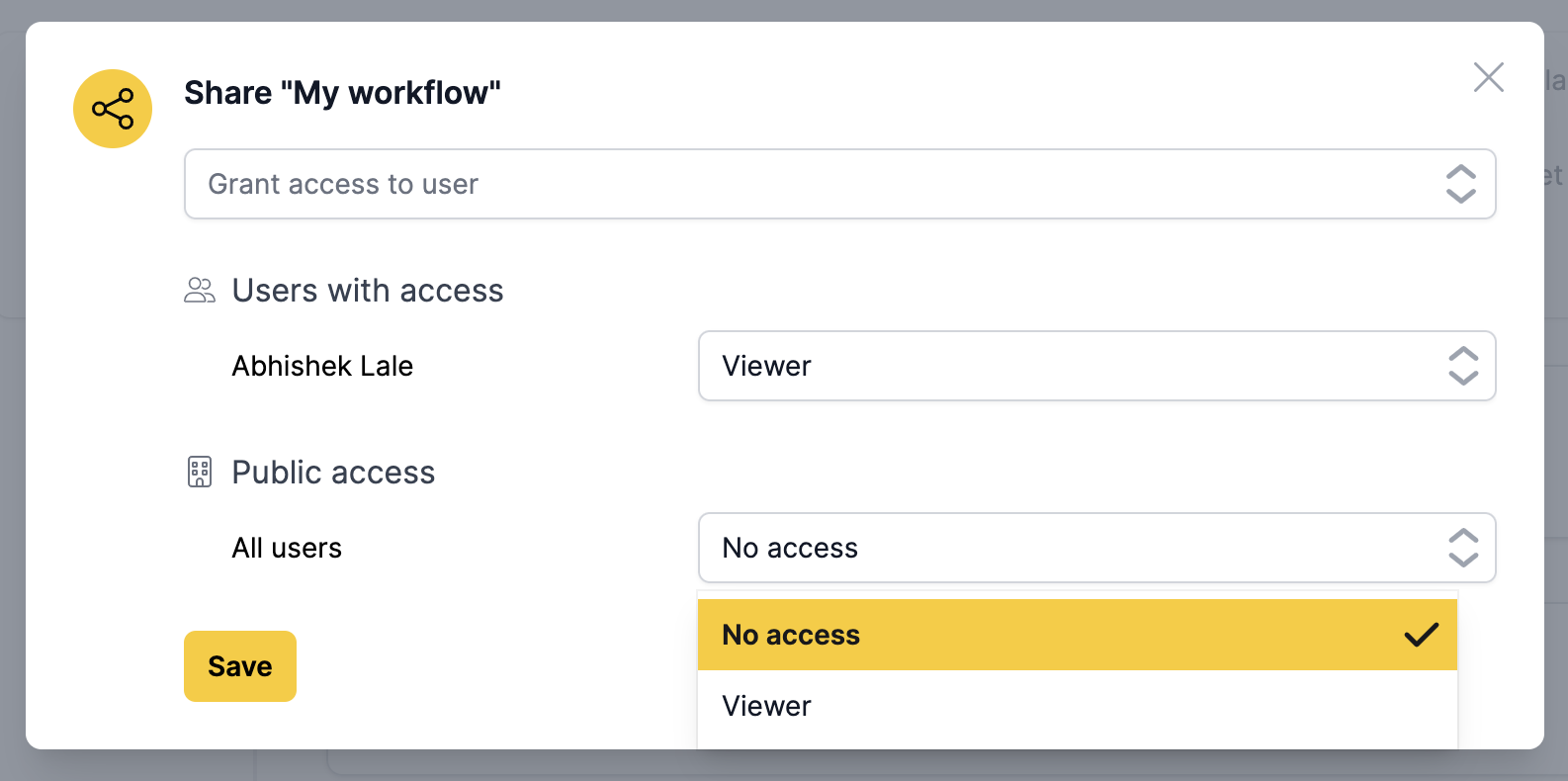
- Click Save.
Feedback
- Submit and view feedback for this page
- Send feedback about H2O Eval Studio to cloud-feedback@h2o.ai