A2A protocol support
A2A (Agent-to-Agent) protocol support enables your custom agents to communicate with other agents and external systems through standardized API endpoints. When you build an agent with A2A protocol enabled, Agents Builder generates additional components that wrap your agent with a server, making it accessible to other agents over the network.
What is A2A?
A2A (Agent2Agent) is an open standard protocol for communication between independent AI agents. It enables agents built with different frameworks or by different vendors to discover each other's capabilities, exchange information securely, and collaborate on tasks through standardized API endpoints.
The protocol uses JSON-RPC 2.0 over HTTPS and includes an "Agent Card" system for capability discovery, allowing agents to identify and communicate with suitable partners for specific tasks.
Benefits:
- Standardized communication across different agent frameworks
- Agent capability discovery through Agent Cards
- Secure communication with enterprise authentication
- Multi-agent coordination and task delegation
- Integration with existing systems via network APIs
Learn more: A2A protocol specification
Build agents with A2A support
Building an agent with A2A protocol support follows the same workflow as building any custom agent, with one additional requirement in your request.
1. Activate Agents Builder
Navigate to your h2oGPTe chat interface and select Agents Builder from the agent type dropdown.
2. Request A2A Support
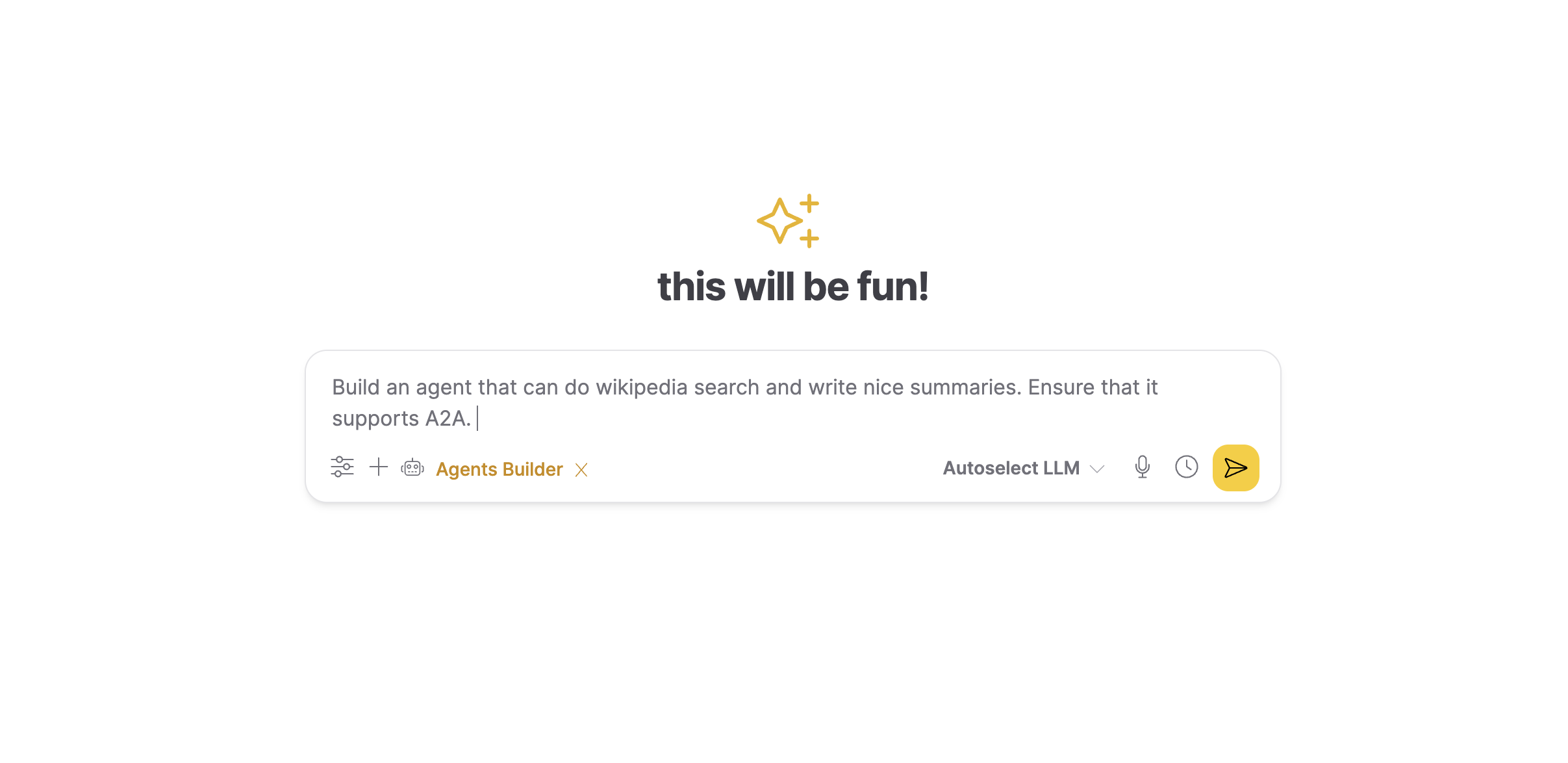
In your agent description, include "A2A protocol support" or "with A2A" to enable agent-to-agent communication:
Create a research agent using LangGraph with A2A protocol support. The agent should search the web and compile findings into a report.
3. Framework and Code Generation
Agents Builder automatically:
- Selects the appropriate framework (LangGraph, OpenAI Agents SDK, or CrewAI)
- Generates your standard agent files
- Adds A2A-specific components for agent-to-agent communication
4. Testing and Validation
The system tests both your agent's core functionality and its A2A communication capabilities to ensure other agents can successfully interact with it.
5. Download Your Agent
When ready, download your agent package containing both standard agent files and A2A components.
Generated Files
When you request A2A support, Agents Builder creates your standard agent files plus five additional files that enable agent-to-agent communication:
Standard Agent Files
custom_agents.py- Main agent implementationmetadata.json- Parameter schema and configurationrequirements.txt- Python dependenciestest_custom_agents.py- Agent functionality testsenvs.json- Environment variable configurationREADME.md- Usage documentation
A2A-Specific Files
agents_a2a_wrapper.py
Wraps your agent's main function so it can be called by other agents. This adapter translates A2A protocol requests into the format your agent understands, allowing seamless communication without modifying your core agent code.
agents_a2a_executor.py
Handles incoming A2A protocol requests and routes them to your agent. This component ensures all requests follow the correct A2A protocol standards and manages the request-response lifecycle.
agents_a2a_server.py
Creates a web server that listens for requests from other agents. This enables your agent to run as a service that other agents can discover and connect to over the network. The server implements the A2A protocol using JSON-RPC 2.0.
agent-card.json
A description file that tells other agents what your agent can do. Like a business card, it includes:
- Agent name and description
- Available capabilities and skills
- What inputs it accepts (parameters, formats)
- What outputs it produces
- Connection details (URL, version)
Other agents read this card to determine if your agent is suitable for their needs before sending requests.
test_agents_a2a.py
Automated tests that verify other agents can successfully communicate with your agent using the A2A protocol. These tests check agent card accessibility, task execution, error handling, and protocol compliance.
Configuration
The envs.json file includes configuration for both your agent's functionality and its A2A server settings:
A2A Network Settings
AGENT_HOST
The network address where your agent listens for connections:
"0.0.0.0": Accept connections from any network (default)."localhost": Only accept local connections.- Specific IP: Only accept connections from that address.
AGENT_PORT
The network port number for your agent server:
- Default:
10000 - Choose a different port if running multiple A2A agents on the same machine
Agent Configuration
The envs.json file also includes standard agent settings like API keys and tool directories:
{
  "AGENT_HOST": "0.0.0.0",
  "AGENT_PORT": "10000",
  "CUSTOM_AGENT_MODEL": "llama-3.1-70b-instruct",
  "CUSTOM_AGENT_API_KEY": "os.environ/LLM_API_KEY",
  "MCP_DIR": "./mcp_tools_runner"
}
You can modify these settings before running your agent. The os.environ/ prefix indicates the value should be loaded from your environment variables, keeping sensitive credentials secure. The model and API settings depend on the LLM provider you specified when building the agent.
Running Your A2A-Enabled Agent
Your agent can run in two modes:
CLI Mode (Standalone)
Run your agent directly from the command line for testing or one-off tasks:
cd agents/research_agent
python custom_agents.py --query "AI safety" --max-results 5
Server Mode (Agent-to-Agent)
Start your agent as a service that other agents can call:
cd agents/research_agent
python agents_a2a_server.py
The server starts on the configured port and listens for requests from other agents. Once running, your agent's Agent Card becomes accessible at /.well-known/agent-card.json, and other agents can discover and communicate with it using the A2A protocol.
When to Use A2A Protocol
Use the A2A protocol when you need:
- Agent-to-agent communication across different systems or frameworks.
- Microservices architecture with agent components.
- External systems to invoke your agents via network APIs.
- Agent orchestration and coordination platforms.
- Distributed agent deployments across multiple machines or environments.
For single agents that don't need to communicate with other agents, standard CLI mode is simpler and sufficient.
Learn More
- A2A protocol specification: Official protocol documentation.
- Agents Builder overview: Learn about building custom agents.
- MCP servers: Configure tools for your agents.
- Submit and view feedback for this page
- Send feedback about Enterprise h2oGPTe to cloud-feedback@h2o.ai