Import from Confluence
Overview
The Import from Confluence ingestion method imports content directly from Atlassian Confluence Cloud. The connector supports individual pages, entire spaces, nested sub-pages, and attachments (embedded images).
Currently, only images embedded in pages are ingested.
When to use
Use this connector when you want to:
- Knowledge bases: When your documents are stored in Confluence
- Team wikis: For collaborative documentation and team wikis
- Technical specs: For technical specifications and guides authored in Confluence
- Product documentation: For product documentation managed in Confluence
- Confluence Cloud: For connecting to Confluence Cloud instances
Required permissions
read:me: Read user profile information.read:page:confluence: Read Confluence pages.read:space:confluence: Read Confluence spaces.read:attachment:confluence: Read embedded images.read:hierarchical-content:confluence: List subpages.offline_access: Refresh tokens without requiring users to sign in again.
Authentication
The Confluence connector supports two authentication methods: OAuth authentication and API tokens.
API token authentication
You can create API tokens and store them in the secured store. If you create a scoped token, it must have the scopes listed in the Required permissions section.
OAuth authentication using h2oGPTe data connectors
h2oGPTe provides secure OAuth authentication that lets you authorize access to your Confluence content without sharing passwords.
To set up OAuth authentication, follow these steps:
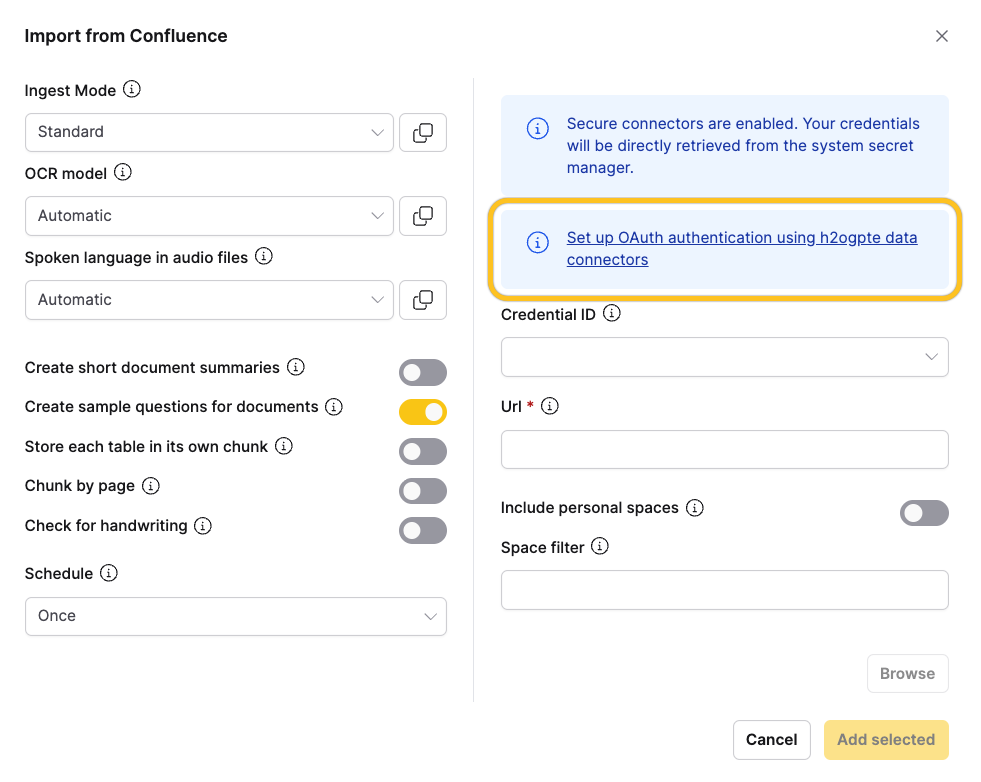
- In the connector configuration, click Set up OAuth authentication using h2ogpte data connectors to start the OAuth flow.
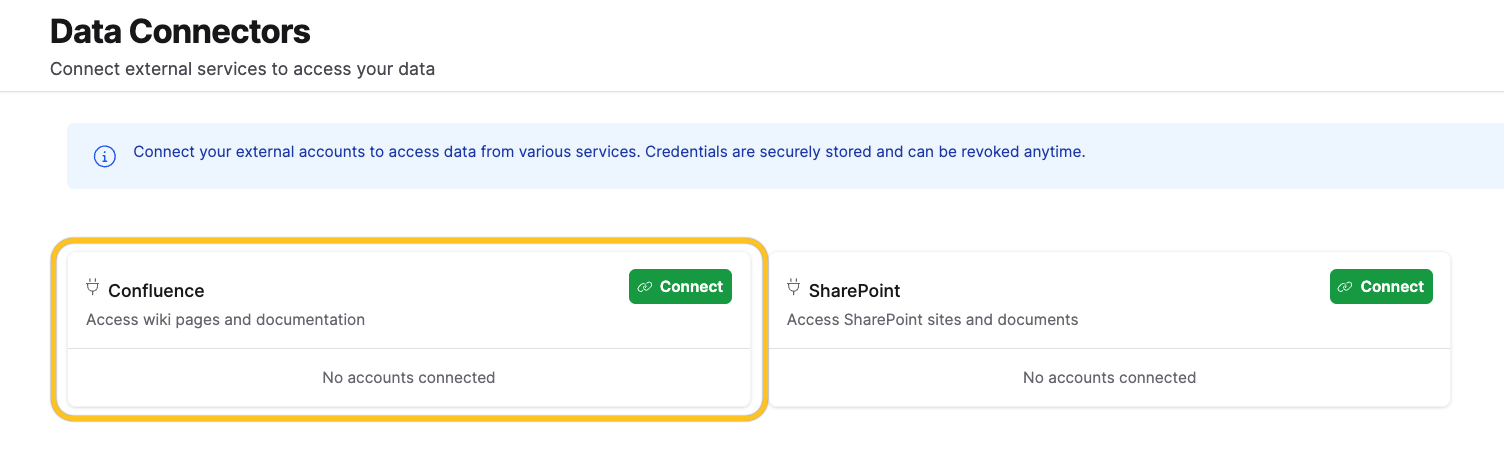
- On the Data Connectors page, click Connect to authorize h2oGPTe to access your Confluence content.
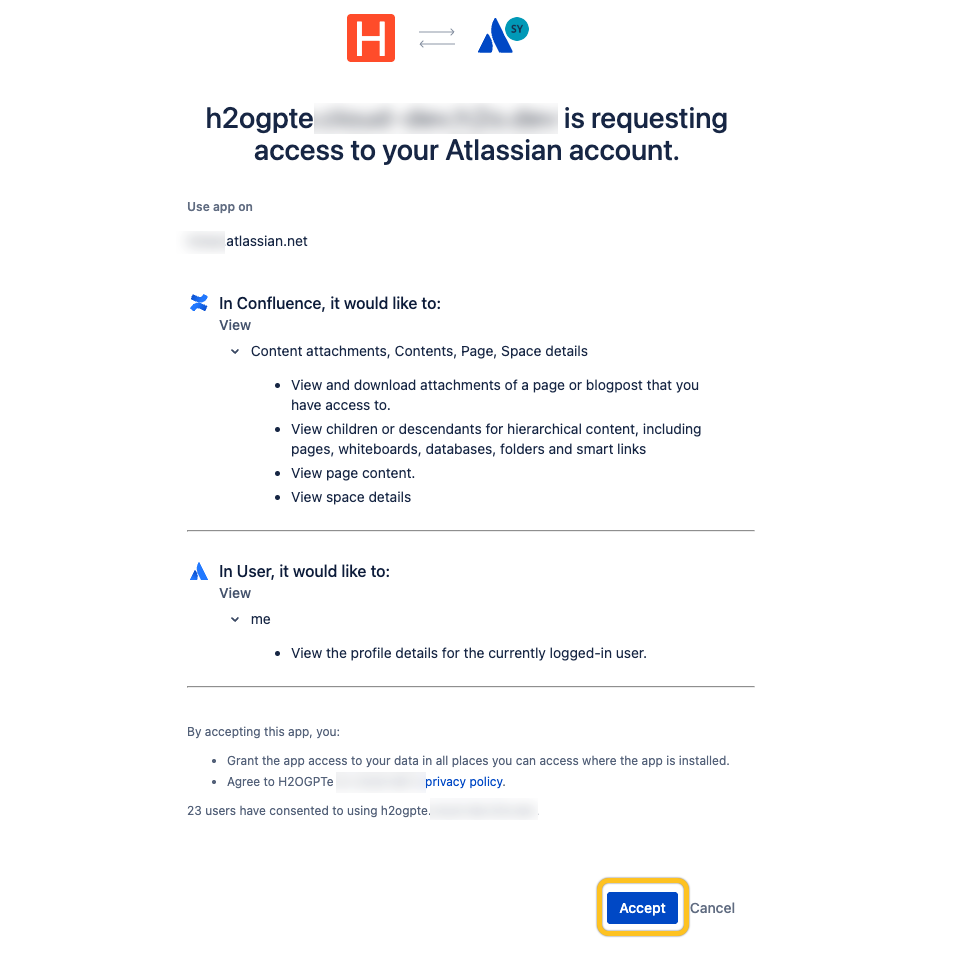
- On the Atlassian authorization page, click Accept to grant access.
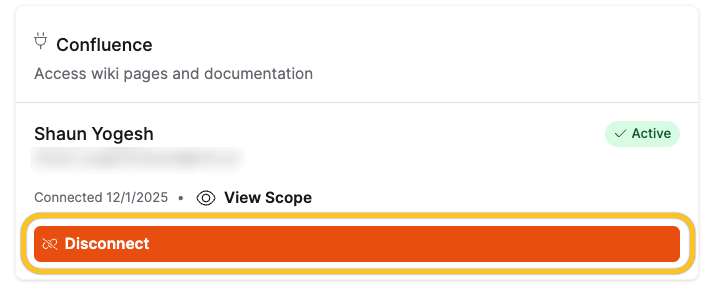
After you complete authentication, you can disconnect the Confluence data connector at any time by clicking Disconnect on the Data Connectors page.
Technical details
The Confluence connector integrates with the Atlassian Cloud REST API v2 using:
- OAuth flow: Atlassian OAuth 2.0 with PKCE
- Authorization endpoint:
https://auth.atlassian.com/authorize - Automatic token refresh: Tokens are automatically renewed when they expire
- User consent: Users explicitly authorize h2oGPTe to access their Confluence content
Importing content
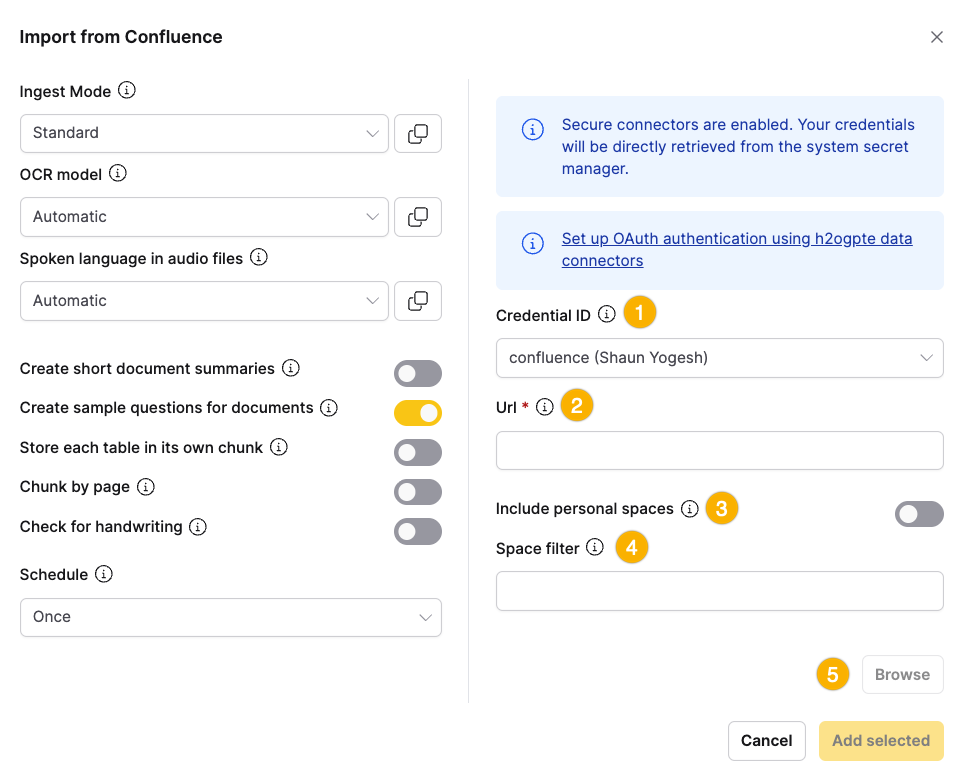
After authentication, you can import content from Confluence.
To import content, follow these steps:
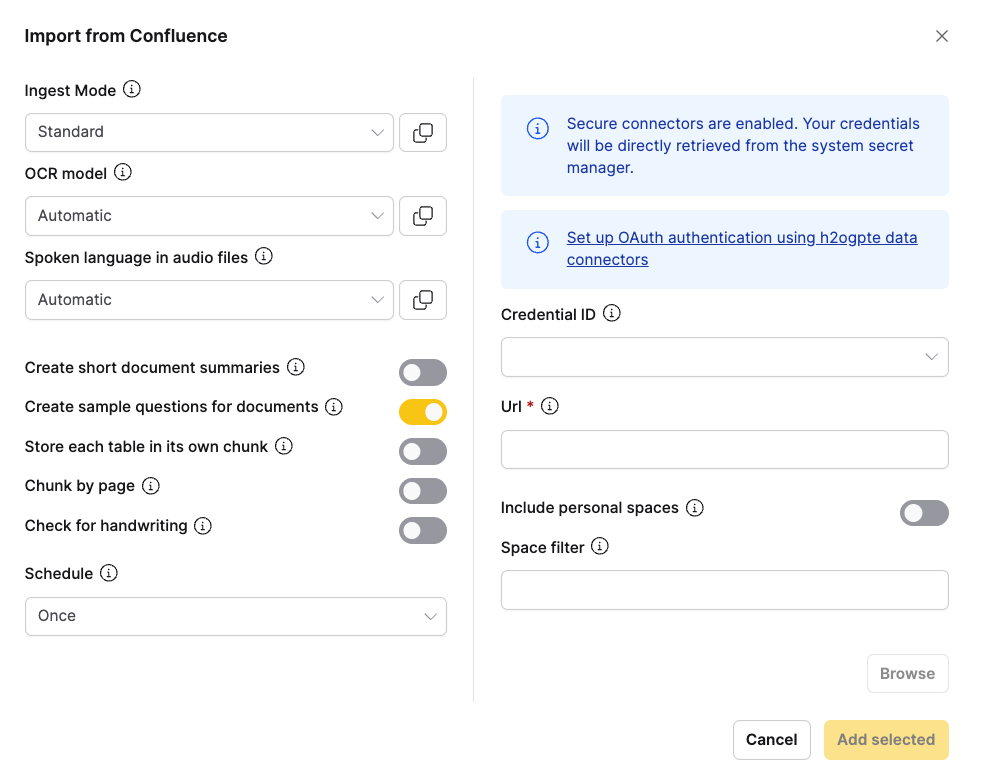
- Select the Credential ID for the authenticated Confluence data connector.
- Enter the Confluence URL (instance, space, or page) to specify what to import.
note
The connector accepts multiple URL formats. For details, see URL formats.
- To include personal spaces, turn on the personal spaces option.
- To limit the import to specific spaces, enter space filter keywords.
- Click Browse to navigate and select the content to import.
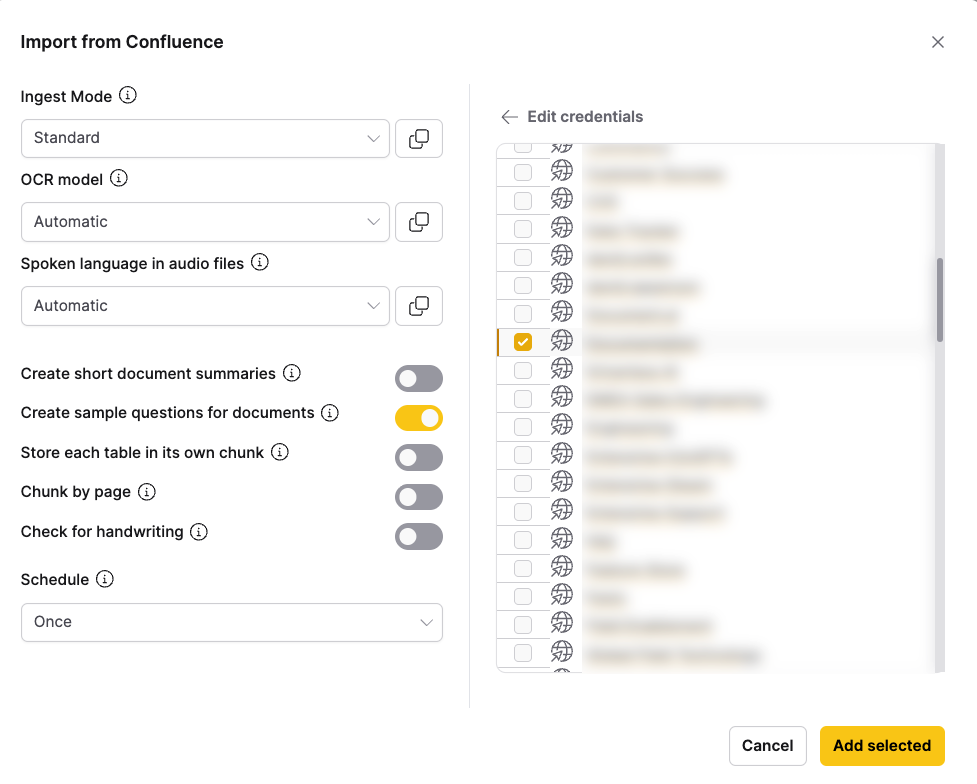
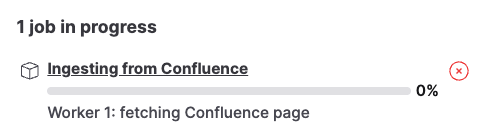
- After you finish selecting content, click Add selected to start ingestion.
For document processing options, see the Shared Document Processing Options section.
URL formats
The connector accepts several URL formats to specify what content to import.
Page URLs
https://your-instance.atlassian.net/wiki/spaces/SPACE/pages/123456/Page+Title
Imports the specified page. When browsing, you can choose to include nested sub-pages.
Space URLs
https://your-instance.atlassian.net/wiki/spaces/SPACE/overview
Imports all accessible pages from the specified space.
Instance URLs
https://your-instance.atlassian.net/wiki
Lists all accessible spaces for browsing and selection.
Page IDs
You can also use page IDs directly for programmatic access.
Auto-sync
This connector supports automatic scheduled synchronization. When enabled, h2oGPTe periodically checks for new or modified content and automatically imports it to your collection.
To learn more about setting up scheduled syncing, see Auto-Sync Connectors.
Code examples
Ingest a single page with subpages
from h2ogpte import H2OGPTE
from h2ogpte.connectors import ConfluenceCredential

client = H2OGPTE(address="http://localhost:8888", api_key="your_api_key")

# Create credentials
credentials = ConfluenceCredential(
    username="your_email@example.com",
    password="your_api_token"
)

# Create a collection
collection_id = client.create_collection(
    name="My Confluence Content",
    description="Imported from Confluence"
)

# Ingest page by ID
job = client.ingest_from_confluence(
    collection_id=collection_id,
    base_url="https://your-instance.atlassian.net/wiki",
    page_id="5094539270",
    credentials=credentials,
)
Ingest multiple specific pages
# Ingest multiple pages by their IDs
job = client.ingest_from_confluence(
    collection_id=collection_id,
    base_url="https://your-instance.atlassian.net/wiki",
    page_id=["5094342673", "5094473739"],
    credentials=credentials,
)
- Submit and view feedback for this page
- Send feedback about Enterprise h2oGPTe to cloud-feedback@h2o.ai